
- Catalogues
- PROMAX ELECTRONICA
- RM-204 PKWatch Logiciel de surveillance


- Produits
- Catalogues
- News & Trends
- Salons
RM-204 PKWatch Logiciel de surveillance
RM-204 PKWatch Logiciel de surveillance
Le programme PKWatch est une base de données générée par MS ACCESS pour la surveillance et l'enregistrement massif de données, utilisant un PROLINK-4 comme instrument de mesure de signal. Il est utile pour la surveillance à long terme dans les environnements TV, radio, satellite ou câble. Le logiciel permet de sauvegarder les données, d'imprimer et de présenter graphiquement les résultats. En cas d'échec d'un test, un SMS peut être envoyé pour alerter.
Configuration des canaux
Cette section permet de définir une séquence de surveillance incluant le canal ou la fréquence à tester, les mesures à effectuer et les limites de réussite/échec. Chaque point de test doit contenir des informations telles que le type de signal (numérique ou analogique), le label, la fréquence, le numéro de test et les mesures à effectuer.
Menu de surveillance
Le menu de surveillance est l'écran principal du logiciel PKWatch, comprenant quatre zones :
- Test actuel : Affiche les données du test en cours et compare les résultats avec les limites d'acceptation.
- Journal des mesures : Stocke les résultats de chaque test, avec des options pour sauvegarder, imprimer et générer des graphiques.
- Statut : Permet de démarrer ou d'arrêter le processus de surveillance, affichant l'état actuel et les actions en cours.
- Journal des alarmes : Enregistre les informations des tests échoués, avec des options similaires au journal des mesures.
Configuration SMS
Le système PKWatch peut envoyer des SMS en cas d'échec de mesure. La configuration nécessite l'installation d'un modem GSM avec une carte SIM active. Les paramètres essentiels incluent le numéro PIN, l'adresse du centre de service (SCA) et le numéro de téléphone du destinataire des messages. Des options avancées permettent de tester le service SMS et d'utiliser des commandes AT pour configurer le modem.
Extraits du catalogue

1 Introduction The PKWatch program is a MS ACCESS generated data base intended formonitoring and massive data logging applications using a PROLINK-4 as asignal measuring instrument. It is very useful for long term permanent monitoring purposes in TV, radio,satellite or cable TV environments. The program commands a PROLINK-4 following a measurement sequencepreviously selected by the user in a dedicated menu. All measurementsavailable in the PROLINK-4 (signal level, video/audio ratio, carrier/noise ratio, digital channel power, Bit Error Rate) are also available through the PKWatch software.Data...
Ouvrir le catalogue en page 2
2 Channel configuration This menu allows the user to define a monitoring sequence including channel or frequency to be tested, measurement to be made and pass fail limits to beapplied. All these data together form a test point. Every test point must contain following information:Digital. One of the first things to do if the test point refers to a TV channel is to determine whether it is digital or analogue. This is important since some of the functions will act accordingly. For example if the frequency is recalled using the label foldable list the tuning frequency will be the centre of the channel...
Ouvrir le catalogue en page 3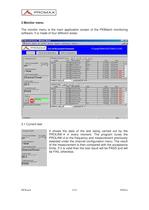
3 Monitor menu The monitor menu is the main application screen of the PKWatch monitoringsoftware. It is made of four different areas: 3.1 Current testIt shows the data of the test being carried out by thePROLINK-4in every moment. The program tunes thePROLINK-4 to the frequency and measurement previously selected under the channel configuration menu. The result of the measurement is then compared with the acceptance limits. If it is valid then the test result will be PASS and will be FAIL otherwise. > PKWatch5/1409/04/a size="-1">
Ouvrir le catalogue en page 5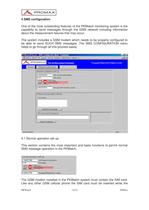
4 SMS configuration One of the most outstanding features of the PKWatch monitoring system is the capability to send messages through the GSM network including informationabout the measurement failures that may occur.The system includes a GSM modem which needs to be properly configured to be able to send SUCH SMS messages. The SMS CONFIGURATION menuhelps to go through all this process easily. 4.1 Normal operation set upThis section contains the most important and basic functions to permit normal SMS message operation in the PKWatch. The GSM modem installed in the PKWatch system must contain the...
Ouvrir le catalogue en page 12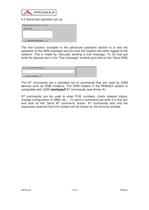
4.2 Advanced operation set upThe first function available in the advanced operation section is to test theoperation of the SMS message service once the modem has been logged to the network. This is made by manually sending a trial message. To do that justwrite the desired text in the Test messageӔ window and click on the Send SMS The AT commands are a standard set of commands that are used by GSMdevices such as GSM modems. The GSM modem in the PKWatch system iscompatible with GSM aөsfojasdf AT commands (see Annex A).AT commands can be used to enter PUK numbers, check network status,change configuration...
Ouvrir le catalogue en page 14Tous les catalogues et fiches techniques (PDF) PROMAX ELECTRONICA
 HD RANGER +
12 Pages
 IL-185 Luxmètre
1 Page
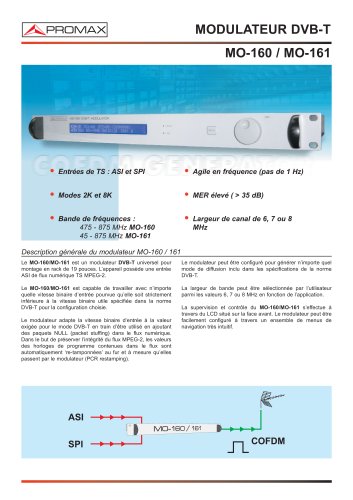 MO-160 Modulateur DVB-T
2 Pages
 GV-198 Generateur de video
2 Pages
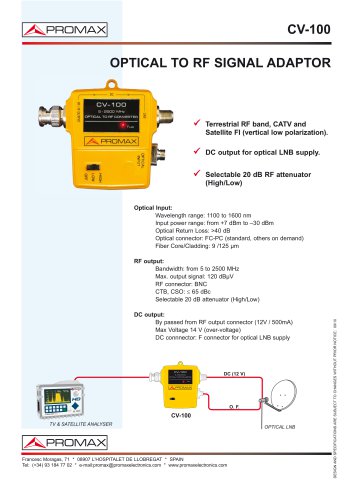 CV-100
1 Page
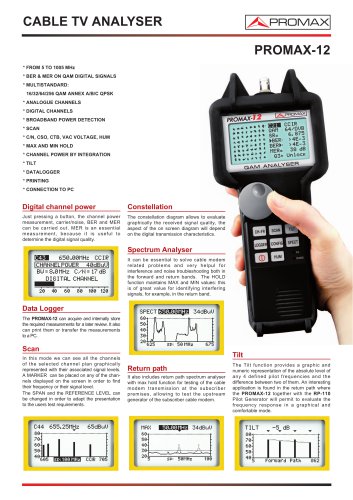 PROMAX-12
2 Pages
 CV-223
1 Page
 HD RANGER Lite
2 Pages
 PROLITE-30B
1 Page
 HD RANGER 3
8 Pages
 HD RANGER 2
19 Pages








- Unité d'alimentation électrique
- Alimentation électrique DC
- Alimentation électrique AC/DC
- Analyseur de liquides
- Imageur infrarouge
- Imageur de surveillance
- Analyseur benchtop
- Analyseur portable
- Testeur numérique
- Amplificateur de signal
- Caméra thermographique
- Analyseur d'eau
- Alimentation électrique de table
- Générateur industrielle
- Multimètre industrielle
- Alimentation électrique à sortie variable
- Multimètre numérique
- Multimètre portable
- Amplificateur de puissance
- Alimentation électrique programmable